How to Unstake MIX Tokens from an Offline Validator
If you have staked your MIX tokens on https://stakingv2.miexs.com/ and cannot find the validator you have staked with, this can mean that the validator is offline.
To unstake your tokens from an offline validator, please follow the guide below:
- Search for your wallet address on miexs.com and find the last ‘delegate’ transaction on the ‘transactions’ list that you made to the validator address that went offline.\

- Expand the transaction and scroll down until you see the validator address section. Copy this validator address.\
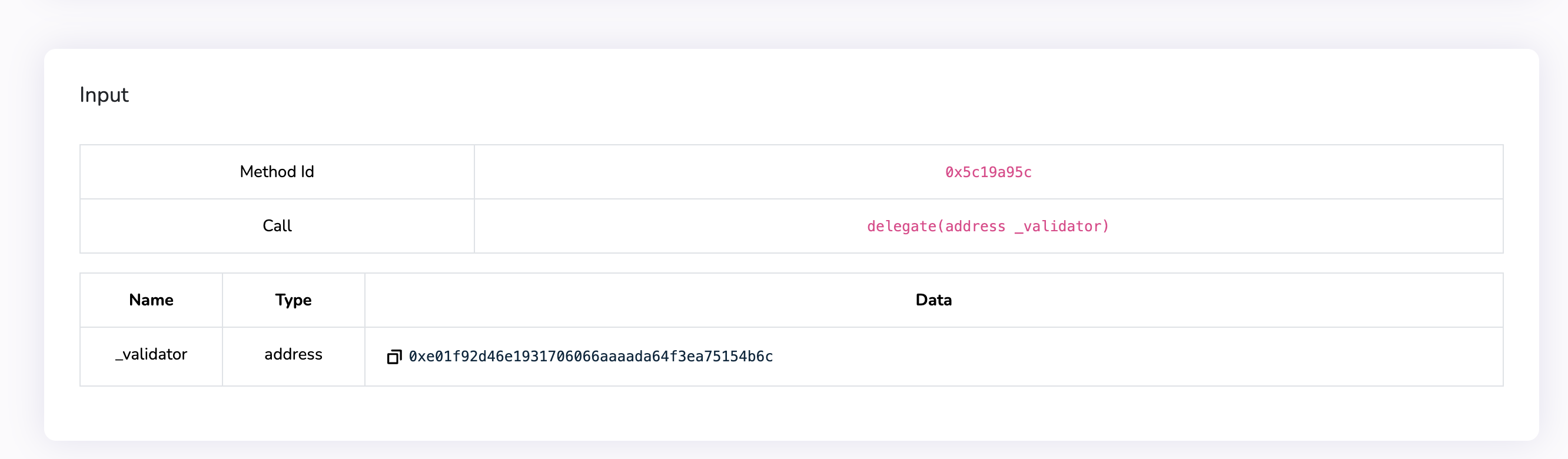
- Navigate to the staking consensus contract on Mix Explorer: https://miexs.com/address/0x1c7DFFd9313A0f3f20518E88735932D02bef4F28.\
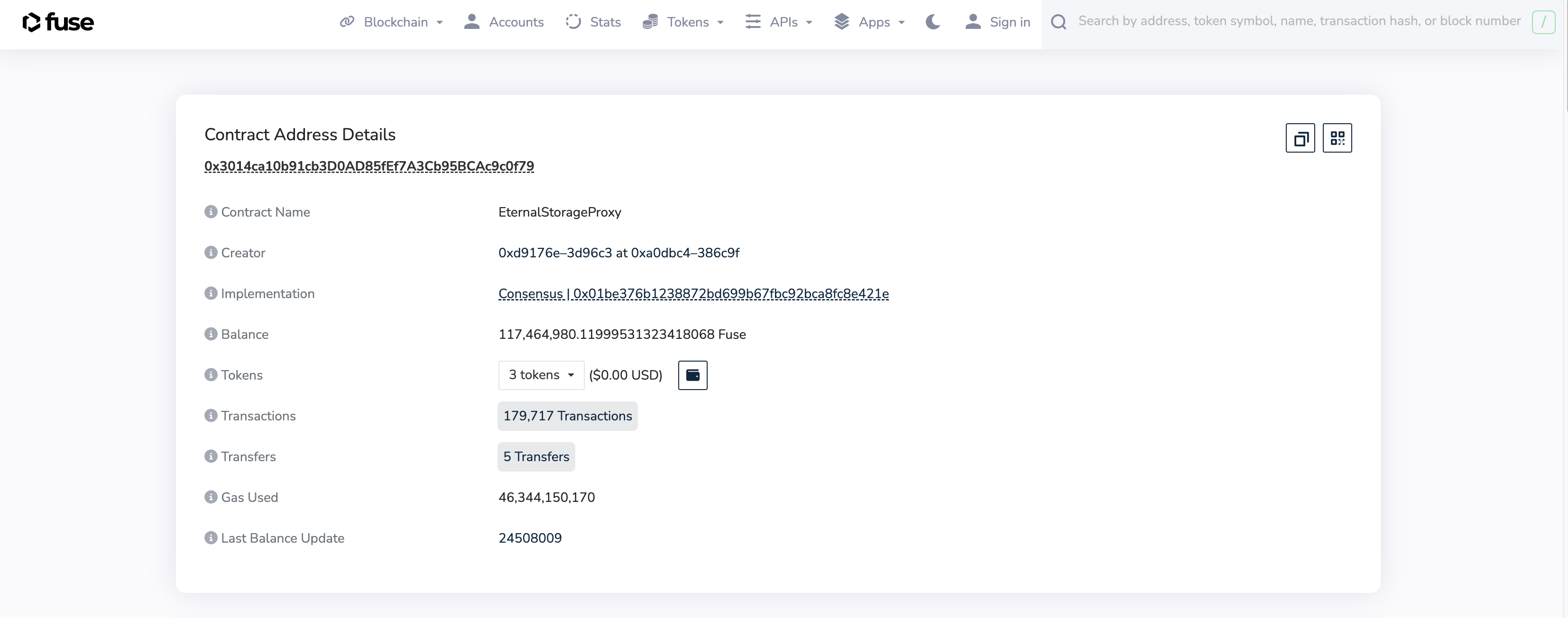
- Click on the ‘write proxy’ section on the consensus contract address.
- Scroll down to section ‘12. Withdraw’, paste the validator address and the amount of MIX to withdraw in WEI denomination.
a. To calculate the amount of MIX in WEI = x * 10^18, where x is the amount of MIX tokens you want to withdraw.
b. You can also use this WEI converter. Just plug in the MIX tokens amount instead of Ether and copy the amount in WEI.
c. For example, if you want to withdraw 1000 MIX, write 1000 * 10^18 = 1000000000000000000000\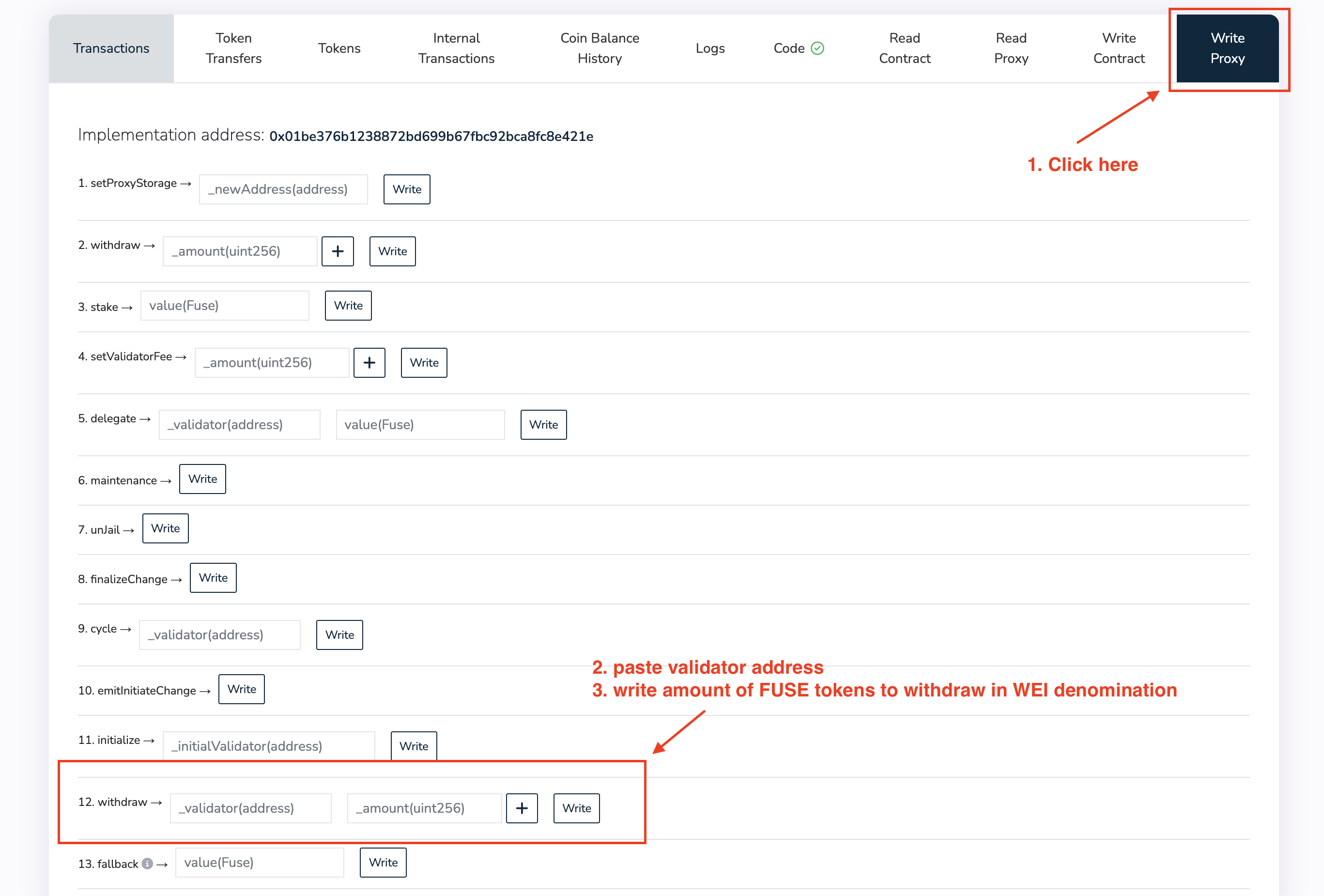
- Click write and approve the transaction in your wallet. You’re all done!