Staking Tutorials
Note: You can only stake MIX which is on Mix network. Please make sure you have changed into Mix network in Metamask while doing any transactions on staking UI.
How to Stake Fuse:
Step 1:
Navigate to stakingv2.miexs.com and connect to your wallet through MetaMask. Make sure you are on the Mix network.
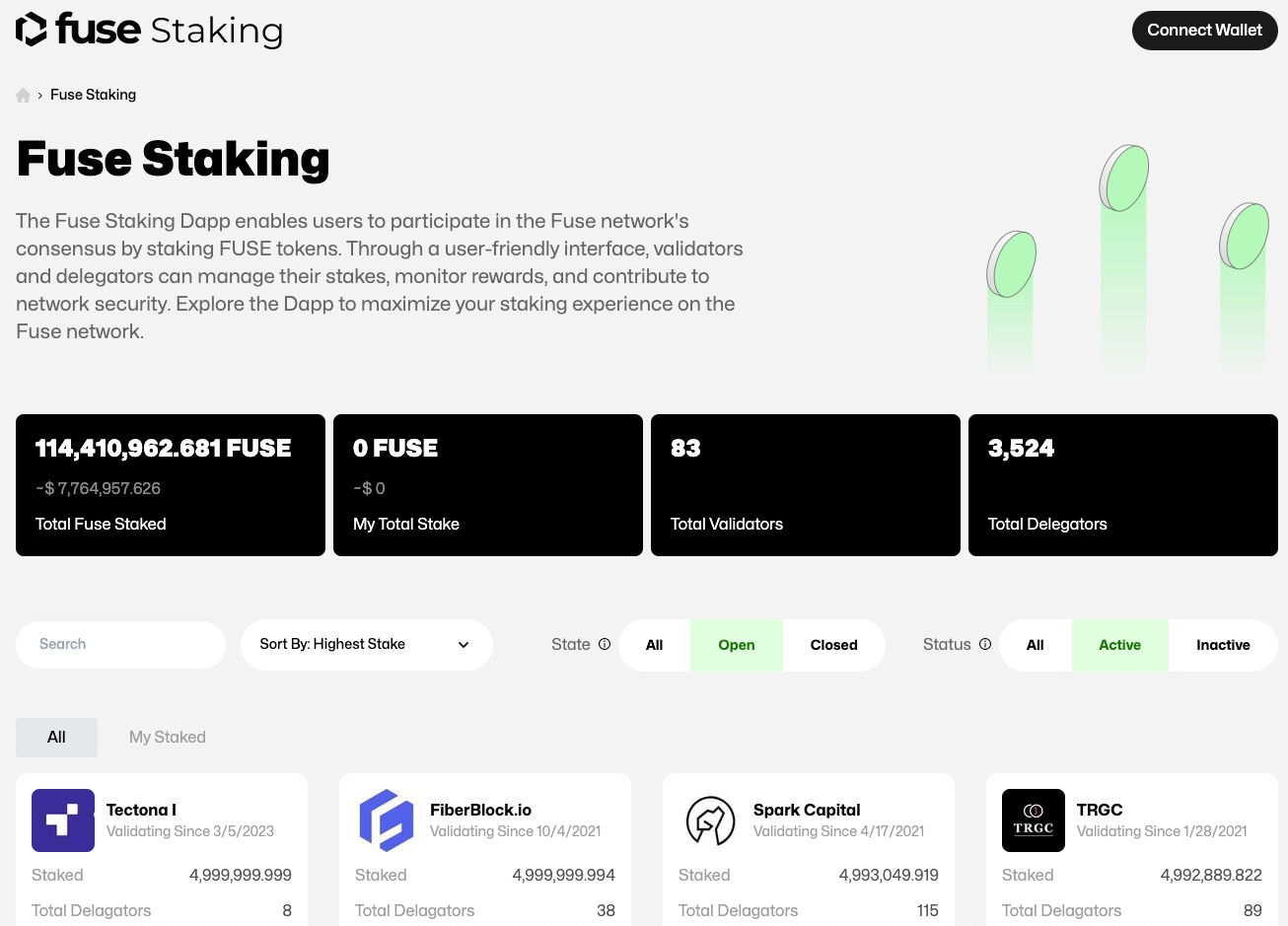
Step 2:
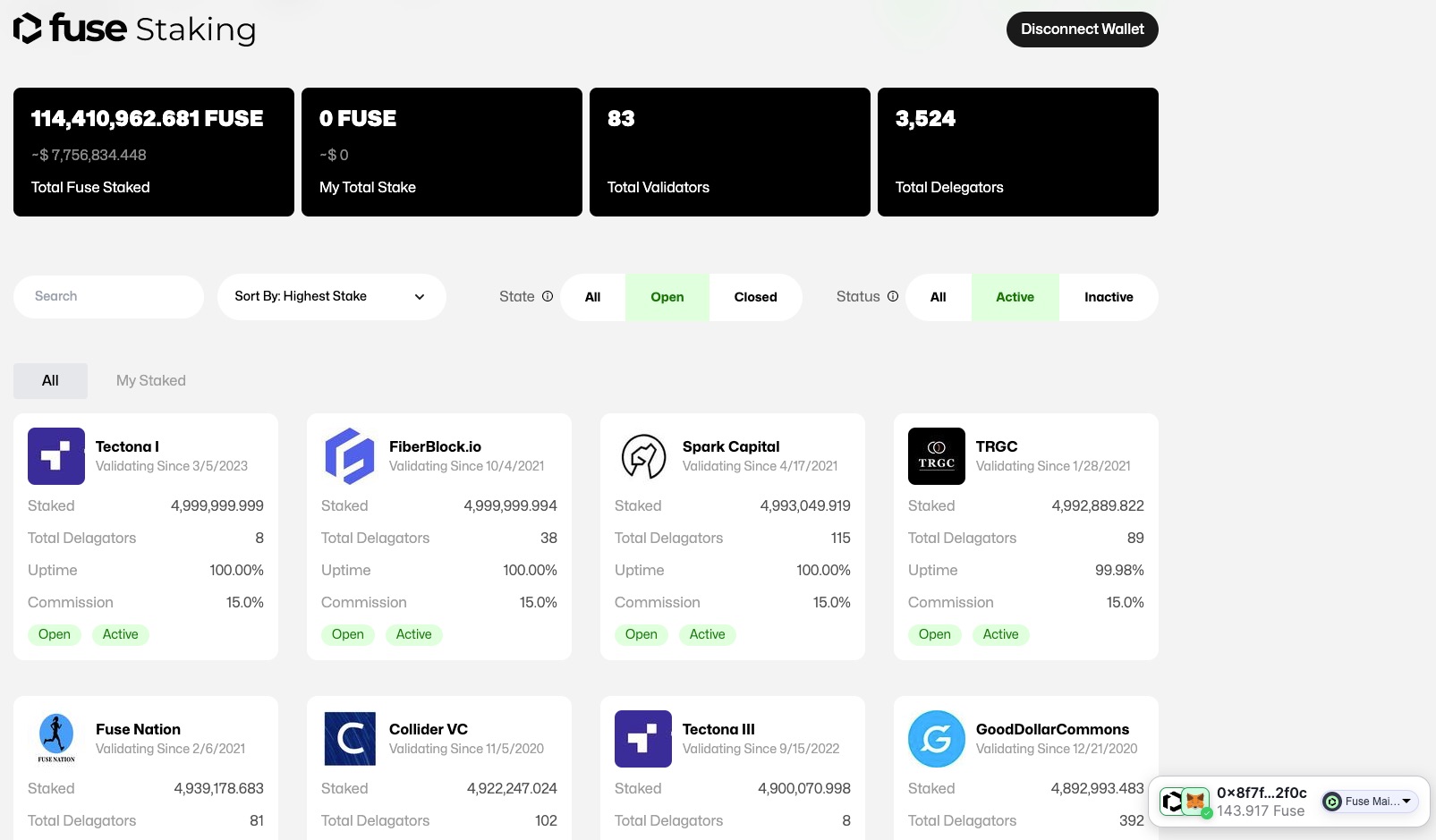
Once you connected in you can see your address on the right-hand bottom corner.
You can also see various parameters like
- Your wallet balance
- Amount Staked
- Total amount staked
- List of validators with details like fees, uptime, total amount staked by individual validators etc.
Step 3:
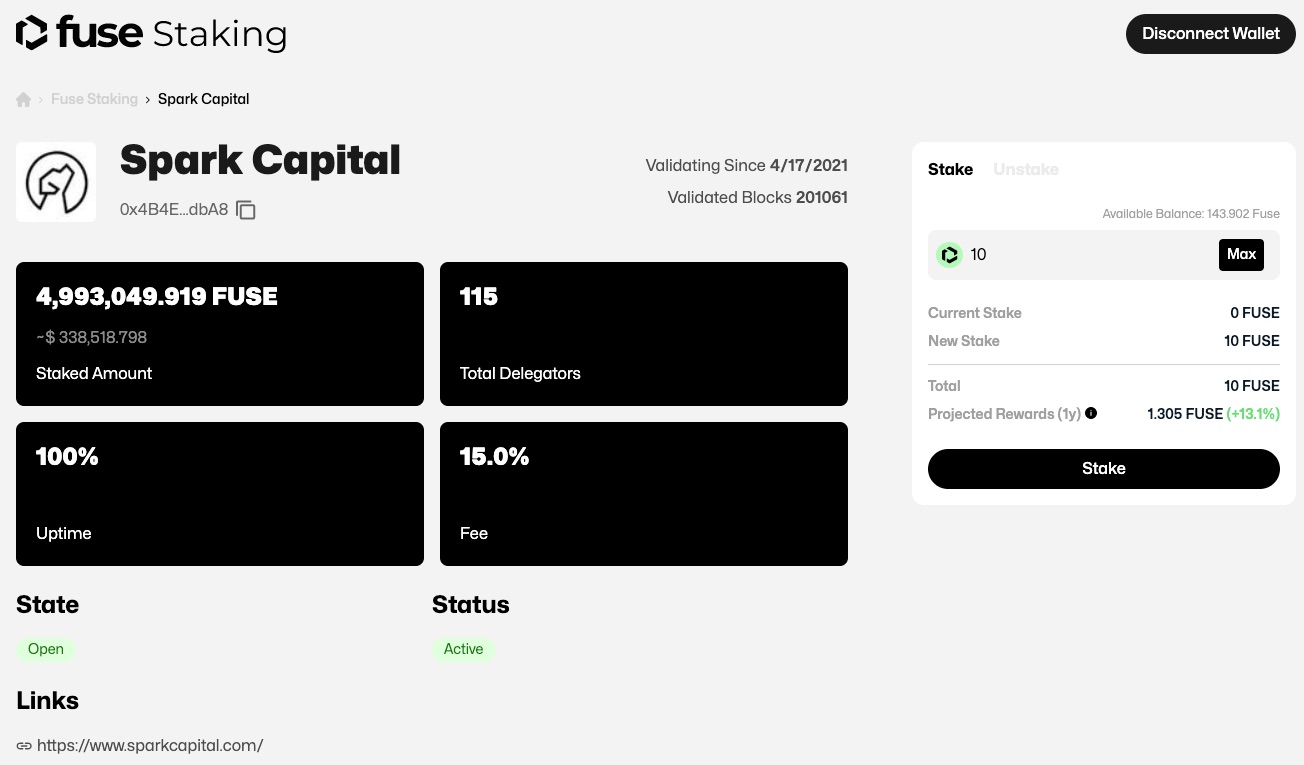
Select the Validator node where you want to delegate your tokens by considering various factors like fees, uptime etc.
You should see the name of the validator you selected. Enter the amount you want to stake and click on “Stake”. Approve the transaction on Metamask and wait for the confirmation on-chain.
You will also see the APY on staking when you enter the amount of MIX you want to stake.
You can see the staked amount right next to the validator name to whom you have delegated you stake to.
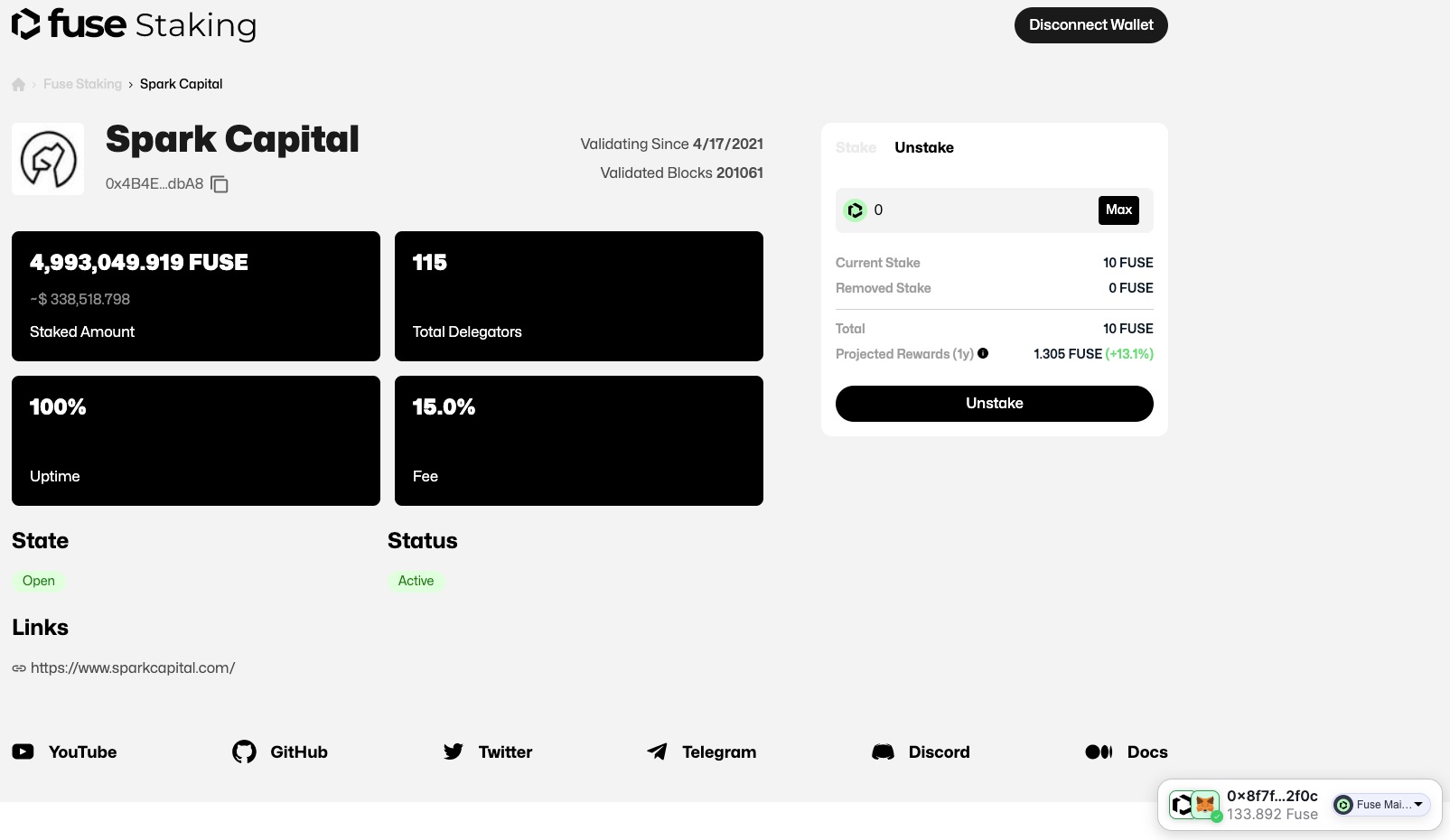
How to Unstake MIX:
Click on the Validator name and you should see the validator name with address on the right-hand side. Click on “Unstake” and enter the amount you want to unstake and click on “Unstake”. Confirm the transaction on Metamask and wait for the on-chain confirmation. Once the transaction is confirmed the unstaked amount is transferred back to your address.