Adding Mix Network to Metamask
- To set up Mix as a new network on Metamask. Click on the network selector at the top of the app and then choose "Custom RPC" from the list:
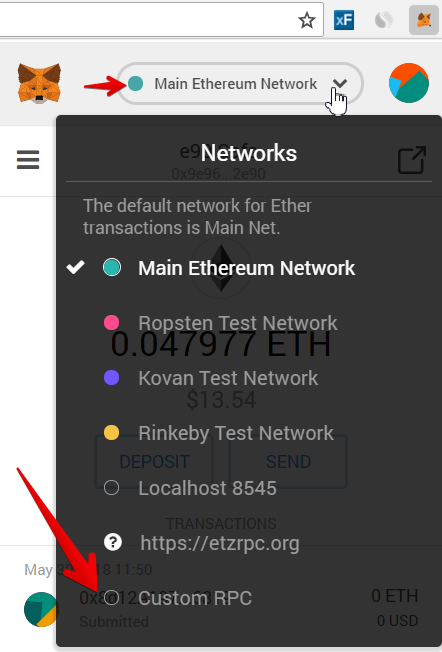
2. Then in the "New RPC URL" enter this address: New RPC URL: https://mainnet-rpc.miexs.com
Optionally you can add the full parameters:
**Network Details**
Additional: https://mainnet-rpc.miexs.com
ChainId: 761412
Explorer: https://miexs.com
Symbol: Mix